SnapshotsPODCompressionThermal
The use case can be downloaded here: exampleSnapshotsPODCompressionThermal
Features
In this tutorial, we consider a simple linear thermal test case: a 2D square undergoing a convection heat flux in its 4 faces, see Figure Fig. 5.
The same features as in the tutorial SnapshotsPODCompressionMeca are illustrated, hence we only point out the differences here.
Commented code
When the variability is parametrized, each parameter dimension can be declared and described:
collectionProblemData.AddVariabilityAxis('Text', float, quantities=('temperature', 'K'), description="Text defines the external temperature of the convection heat flux boundary condition")
In this case, when problemData are affected to the collectionProblemData data structure, the values of the corresponding parameter values should be provided.
collectionProblemData.AddProblemData(problemData, Text=0.)
Results
In Figure Fig. 5, the quality of the compression is illustrated by comparing the high-fidelity reference with the difference between this reference and the compressed snapshots (recombined with the POD modes).
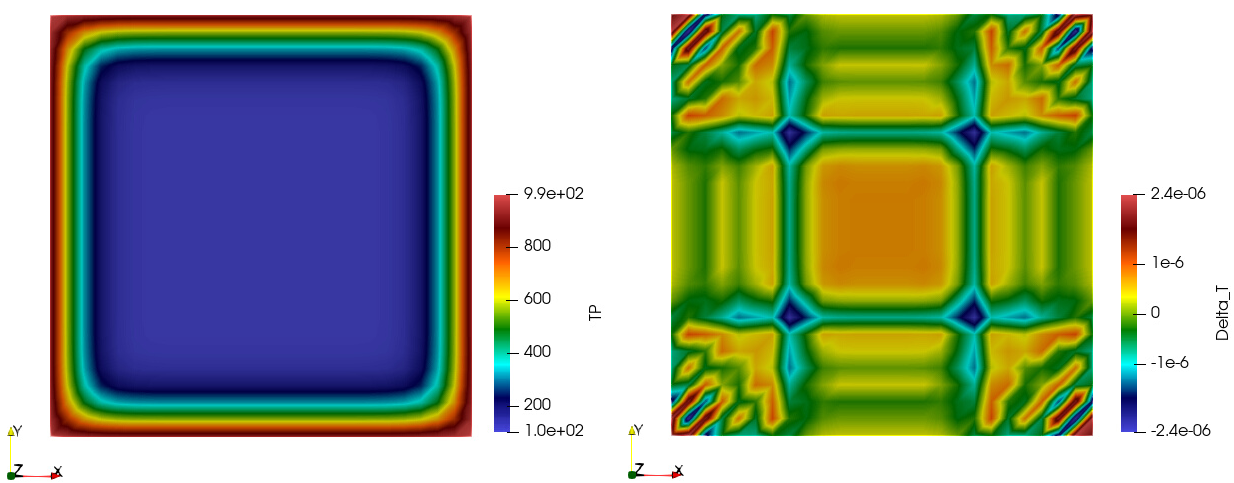
Fig. 5 Magnitude of the temperature at the last time step: (left) high-fidelity snapshots, (right) compressor error.
In Figure Fig. 6, the first two POD modes are illustrated.
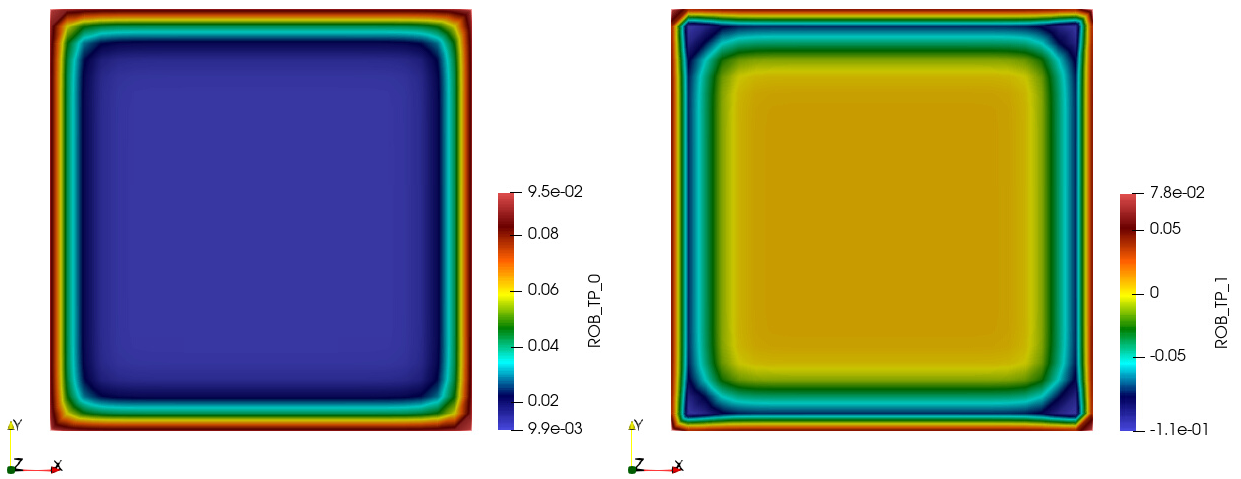
Fig. 6 POD modes: (left) first, (right) second.